How to Take the Bus in Winnipeg
Travelling by bus for the first time can be tricky—learn how to pay for your fare, know how to route a trip, and travel to your destination.

Updated • read

Table of Contents
As of June 29, 2025, Winnipeg Transit released their new bus network! This includes new bus stops, new routes, and new destinations.
Riding the bus for the first time is daunting.
Going into it without much prior experience is terrifying. I struggled to find resources on how to use this, so I hope this guide serves as a quick run-down on understanding this system!
Fares
Section titled FaresTaking the bus (unfortunately) costs money. In our buses, the fare box takes either change, bus tickets, or Peggo card. Bills, credit, and debit cards aren’t accepted here!
To purchase bus tickets, check out Where to Buy - Winnipeg Transit, and find the closest place near you. You can exchange legal tender, or use a credit/debit card, for sheets of 5 or 10 tickets.
You can also buy a Peggo card online for $5 on the Winnipeg Transit e-Fare site, with free shipping. You can also add e-Cash on the same website. There’s also physical locations to be able to purchase one. This gives the convenience of not needing to buy tickets physically, and to not need to fiddle with change or paper transfers.
Map from the Winnipeg Transit site for your convenience. Visit the Where to Buy link for the most up-to-date locations and info!
To pay, walk to the front door of your bus. Upon entering, you’ll see a fare box, where you can pay with the following options:

- Change: There will be a little slot on the bottom right to insert coins. Pay in exact change, as the bus driver does not carry change. Otherwise, you’ll overpay.
- Paying in change costs more than bus tickets or a Peggo card! If possible, use bus tickets or a Peggo card if you want to save some money.
- Bus tickets: There will be another slot on that top right, used to accept bus tickets.
- Peggo card: The fare box will have a rectangular scanner. Simply tap the scanner to pay, and you’ll hear a beep confirming your payment.
Once paid either by bus ticket or cash, you should receive a paper transfer, which will print on the left side of the fare box. This is important, but we’ll get to that soon though!
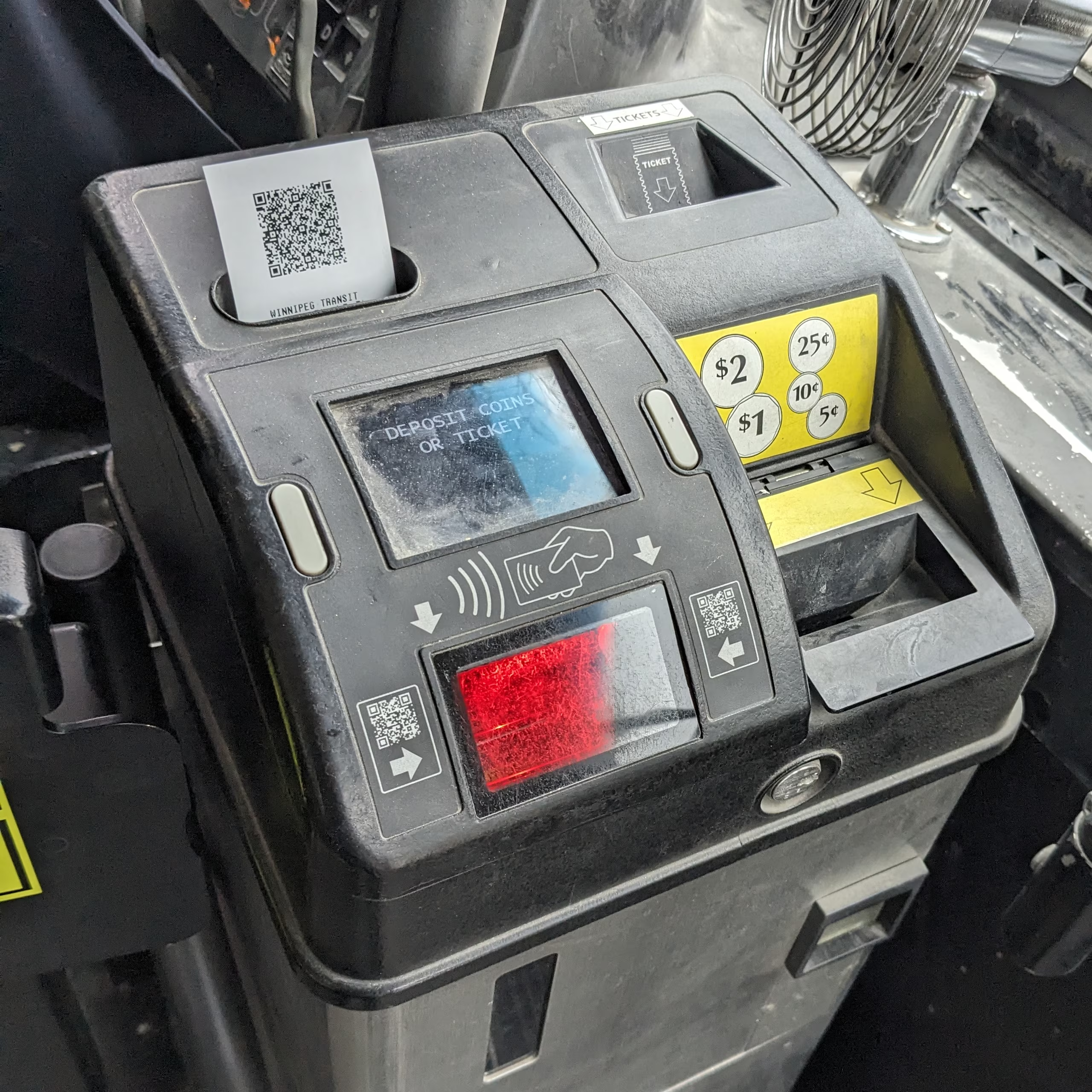
Otherwise, scanning your Peggo card should give a short beep. If not, it will play an error sound, and the screen will tell you why it didn’t work. Usually, it’ll say the card was misread. Rescanning it again should let your payment go through.
If you’re strapped on cash, there’s programs for reduced fares. If you’re a student, you can take advantage of the Youth Fare pricing. If you’re eligible and paying with cash, you should carry your photo ID. You may also want to check out WINNpass, especially if you’re on Employment and Income Assistance (EIA).
For more info and current pricing, check out Transit Fares - Winnipeg Transit.
Routing a trip
Section titled Routing%20a%20tripUsing an app like Google Maps can help you plan your route. Simply put your destination, press “Directions”, enter your starting point, then select the transit icon on top.
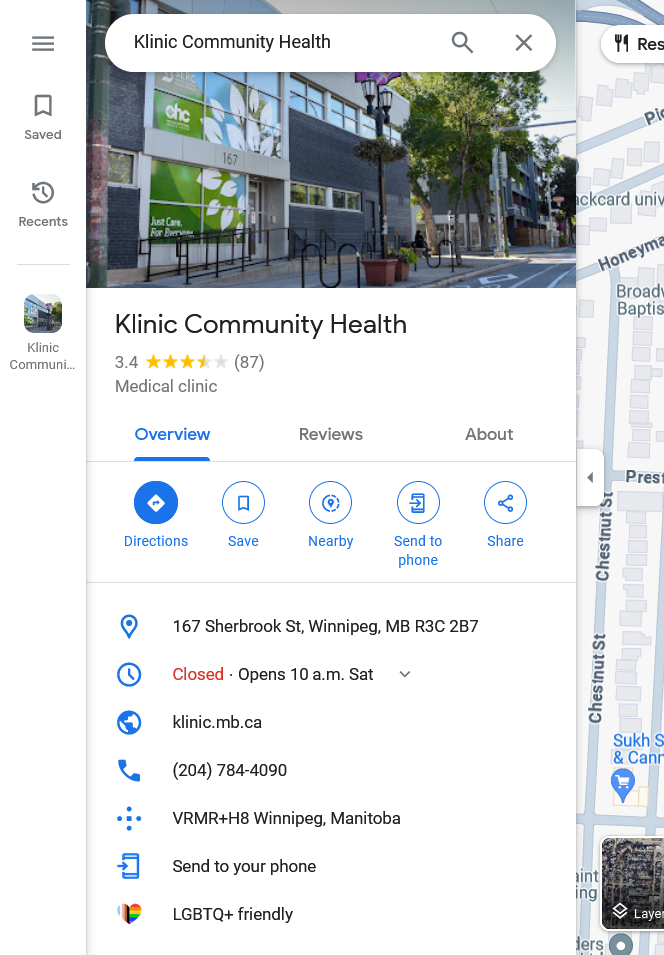
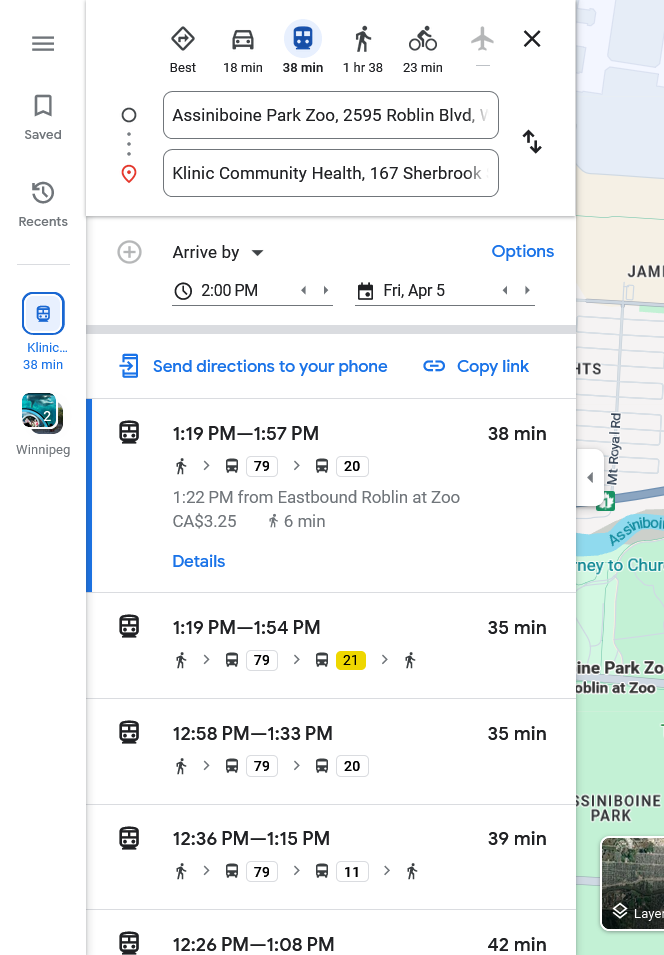
The Winnipeg Transit app in my opinion is clunky to use, and Navigo doesn’t seem to be as good as Google Maps’ routing engine. However, it may be worth downloading the app or using the webapp, for more up-to-date schedule times for bus stops, compared to Google Maps.
Navigo may add some time padding relative to Google Maps, for getting to a bus stop on-time to catch your ride.
If you have an Apple device, it may be worth trying Apple Maps. From my limited experience, I’ve found it to be a worse experience. Same goes with Transit, but the Winnipeg website does suggest using it as an alternative to Navigo.
Make sure you route your way back home! Depending on the hours of your trip, and if its a holiday or Sunday, your route’s service may have ended, leaving you stranded.
In this scenario, if you don’t have any friends nor family available to drive you, you may wish to try a taxi.
Split lines
Section titled Split%20linesYou’ll see some buses, but with a vertical line split down multiple of them. This means that you could take any one of these buses, to complete your trip.

Boarding the right bus
Section titled Boarding%20the%20right%20busAll buses have an identifier like Blue, FX2, F5, or D14 , or a number like28 or 440. They all also have a destination; usually feeder routers like the 440 will only have two. Certain buses, such as the Blue, have more than one; “St. Norbert”, “University of Manitoba” goes southbound, while “Downtown” goes northbound.
Routes are usually formed through loops, and the bus may go back to the same place, but on the other side of the road. With the exception of Blue buses, there are only two different destinations per route.
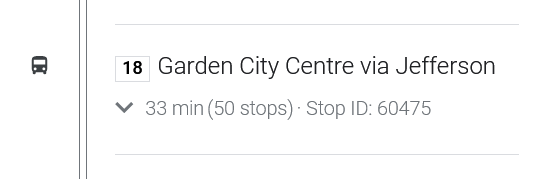
A bus on route 18, with the destination “Garden City Centre via Jefferson”.
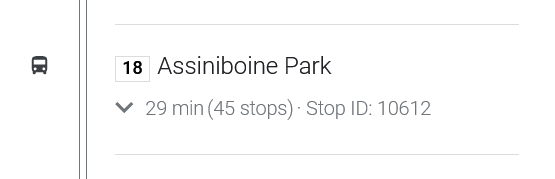
A bus on route 18, with the different destination “Assiniboine”.
If you board a bus with the wrong route number or destination, you might go the wrong way!
Buses with the same route number, but different destination, can come at roughly the same time. Different stops for the same route, but a different destination, are usually roughly parallel to each other too.
Some pointers for getting the direction right:
- Make sure the bus you’re waiting and/or getting on, is going the direction that your transit app says to go to. It can be easy to dose off and be waiting either at the wrong stop, or board the wrong bus.
- Before getting on the bus, check both the number and destination, to make sure you’re going on the right bus. If you need more time before a bus leaves, you can ask the bus driver if it goes a certain direction.
- At Blue rapid transit stations, there may be a yellow sign that’ll say “northbound” and “southbound”. Digital signage may also say whether a side is north or southbound.
Getting on and off the bus
Section titled Getting%20on%20and%20off%20the%20busOnce you pay your fare, take your paper transit (if you paid in cash or ticket), you can now board.
Generally, its encouraged to go as far back into the bus. Depending on how crowded your bus is though, this may not be at all necessary. If you have a physical disability, you are encouraged to use the priority seating up front.
For wheelchair users, if the bus supports this feature, the bus driver will lower a platform for you to be able to get on. You’ll need to check on apps like the WT app, to see whether or not if the bus you’re boarding is wheelchair accessible.
Good transit apps will let you see where you are, during your trip. Apps such as Google Maps and Apple Maps show where you are visually, along with a list of intermediate destinations. The Winnipeg Transit app does not have this functionality; you’ll need to match destinations to the bus’s inside display and voice announcement.
Once you’re about to reach your stop, wait to make sure you’ve passed the stop before yours. Once passed, you can now pull down the yellow cord on the sides of the bus.
Alternatively, you can press a red stop button found on certain poles. For wheelchair users, a stop button can be found on the sides of folded-up seats, at the front of the bus. If the seats are folded down, folding them up should reveal the button.
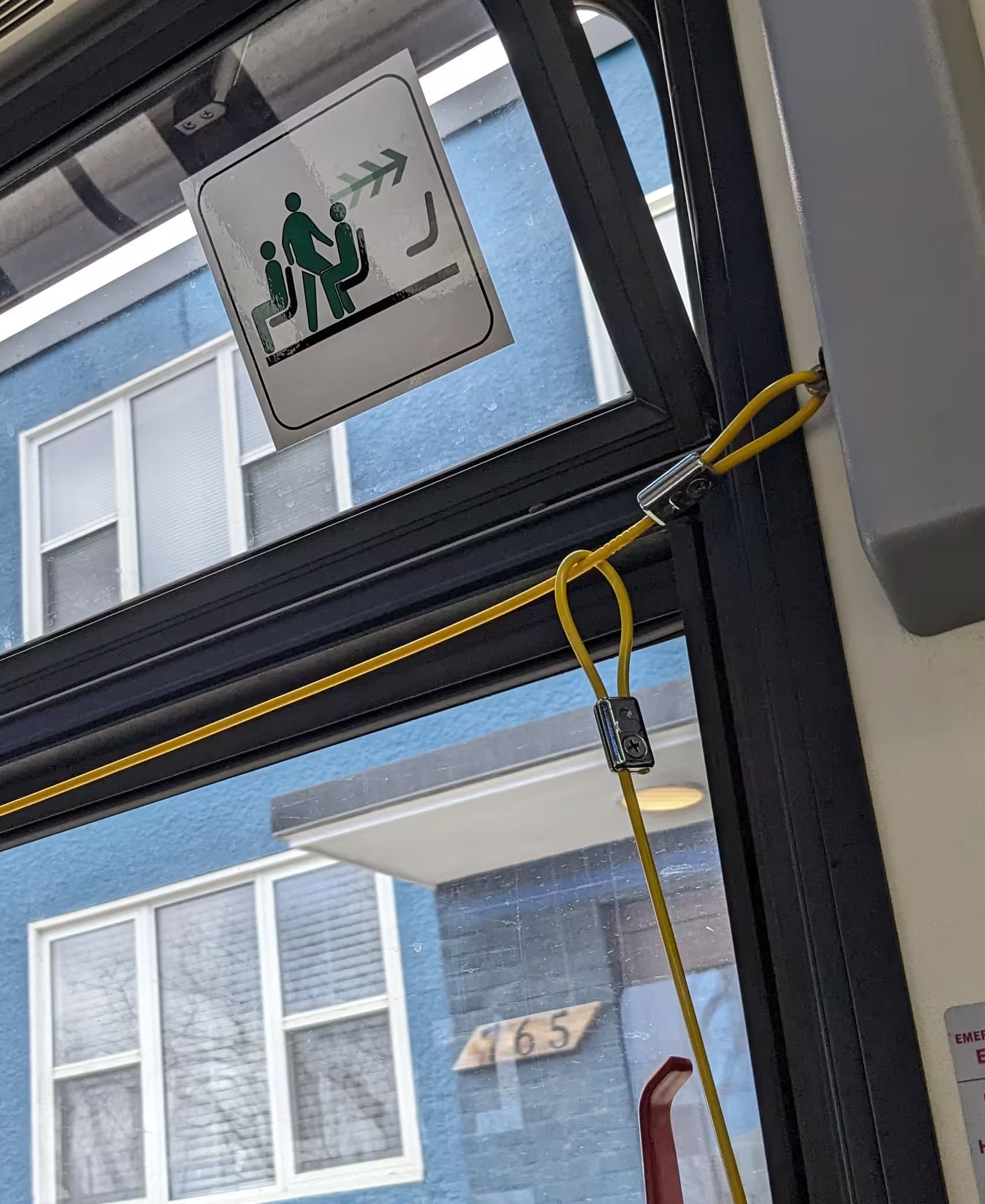
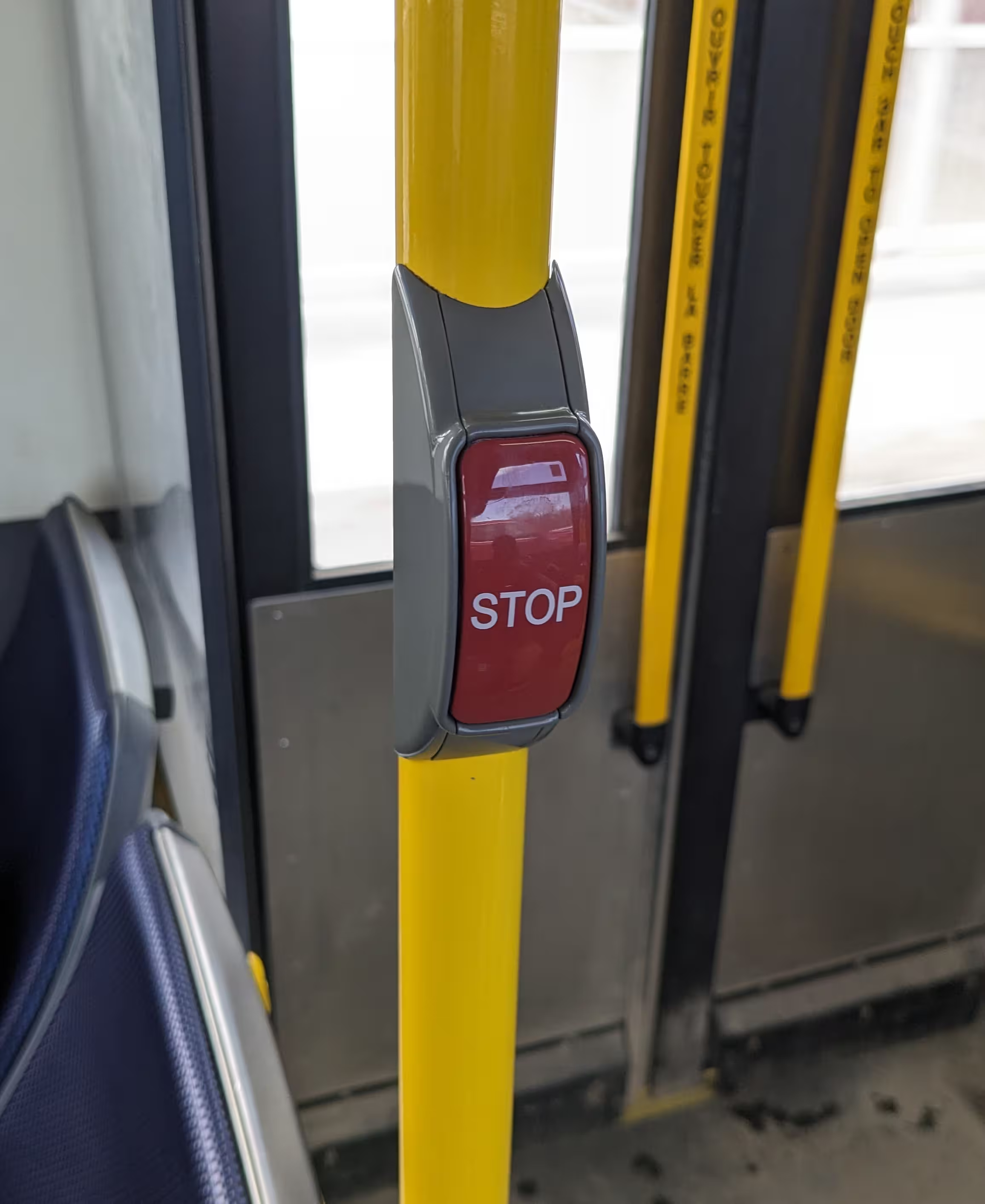
The yellow cord, and a red stop button.
Once you pull down hard enough on the yellow cord, or press the red stop button, there should be a “ding” sound that plays. There will also be a stop icon on the bus’s inside display at the front.
For most individuals in most situations, exiting via the back side door of the bus is preferable. This lets others board at the front, without needing to wait for individuals to exit. To exit, press or hold the handles. Some buses have an LED to indicate that it will open. If it doesn’t open immediately, rush to the front to get off, or declare “back door” to request the driver to open it.

For users with limited mobility, you may need to announce “wheelchair” (if on a wheelchair) or “getting off”, to indicate that you need to get off the bus at the next stop. You will always get off at the front, as there is no ramp at the back doors.
Transfers
Section titled TransfersTo reach your destination, you may need to take multiple buses to get there.
Transfers let you go onto a different bus to get to your destination, without needing to pay for another ticket. This transfer will be valid for roughly a few hours.
Paper transfers
Section titled Paper%20transfersOnce you pay your fare via bus ticket, the bus driver should print out a paper transfer for you.

If your route has more than one bus, you can use this transfer by putting its QR code face-first on the red scanner.
You’ll notice that your transfer has a date and time issued, and how much time until it expires. Once it expires, you’ll need to use another ticket, as the machine won’t accept it any longer.
If it expired recently though (say, 15 minutes), and you have one more bus, you can ask the bus driver to let you on anyway.
If for some reason the driver hasn’t given you a transfer, simply ask.
Peggo cards
Section titled Peggo%20cardsIf you’re using a Peggo card, you won’t receive a paper transfer. Instead, your card will now act as a transfer.
It won’t charge you again when changing buses, for a period of time. You can verify this by changing buses and scanning your Peggo card as normal. The blue display will tell you when your transfer will expire.
Route types
Section titled Route%20typesThis is a shorted, (hopefully) more accessible version of the Winnipeg Transit 2025 System Map PDF’s map legend on routes.
If this or the PDF are inaccessible for you, you can call 311. However, if you know how to improve the tables below, please contact us.
Peak Off-Peak Night
| Service Type | Target Frequencies | ||
|---|---|---|---|
| Primary Transit Network | Rapid Transit | Blue | 4-10 minutes 5-10 minutes 10-30 minutes Core frequencies, longer wait time for branches. |
| Frequent Express | FX2 FX3 FX4 | 5-15 minutes 10-15 minutes 10-30 minutes | |
| Frequent | F5 F6 F7 | 10-15 minutes 10-15 minutes 15-30 minutes | |
| Direct | D14 D16 D18 | 10-15 minutes 10-20 minutes 15-30 minutes | |
| Feeder Network | Connector | 28 57 74 | 15-30 minutes 15-30 minutes 20-60 minutes |
| Community | 440 441 446 | 30-60 minutes 30-60 minutes Varies | |
| Limited | 889 887 894 | Varies. Limited-span routes operate only at certain times of day. | |
| On-Request | 101 105 111 | Varies. Generally 5-20 minutes after booking a trip. | |
On-Request
Section titled On-RequestIf you plan to utilize the On-Request service, you’ll first need to see what areas are relevant to your area, which bus you would be taking, then check their respective route availability times.
To view which bus is relevant for you, you can use the system map PDF, or the WT+ app available on Google Play or Apple’s App Store. Using the WT+ app—and therefore the On-Request service—requires signup with either a phone number or email address.
Once you figure out if On-Request serves your area, and if so, you can utilize the timetable found on Winnipeg Transit’s info page.
Alternatively, you can use the Winnipeg Transit web app to search your route.
Select “Explore routes”, press the dropdown menu that says “On-Request”, then select your On-Request bus. You’ll then see separate schedules, usually by weekdays, Saturday, and Sunday.
Blue buses are part of the rapid transit line, and is one of the more important bus routes for moving quickly through the city. These buses are known for being connected to stations, with nicer, larger bus shelters than what’s normally seen in the city.
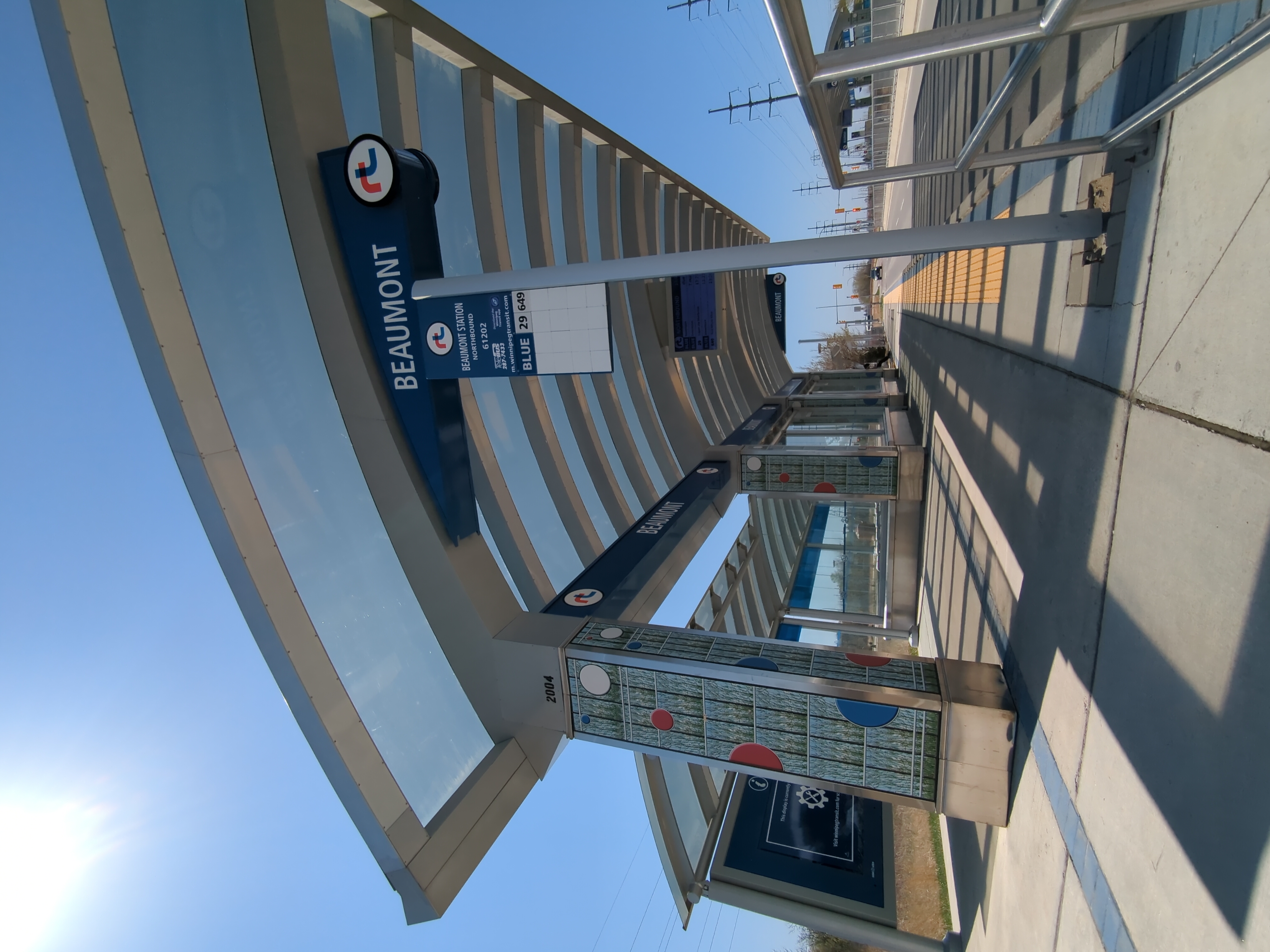
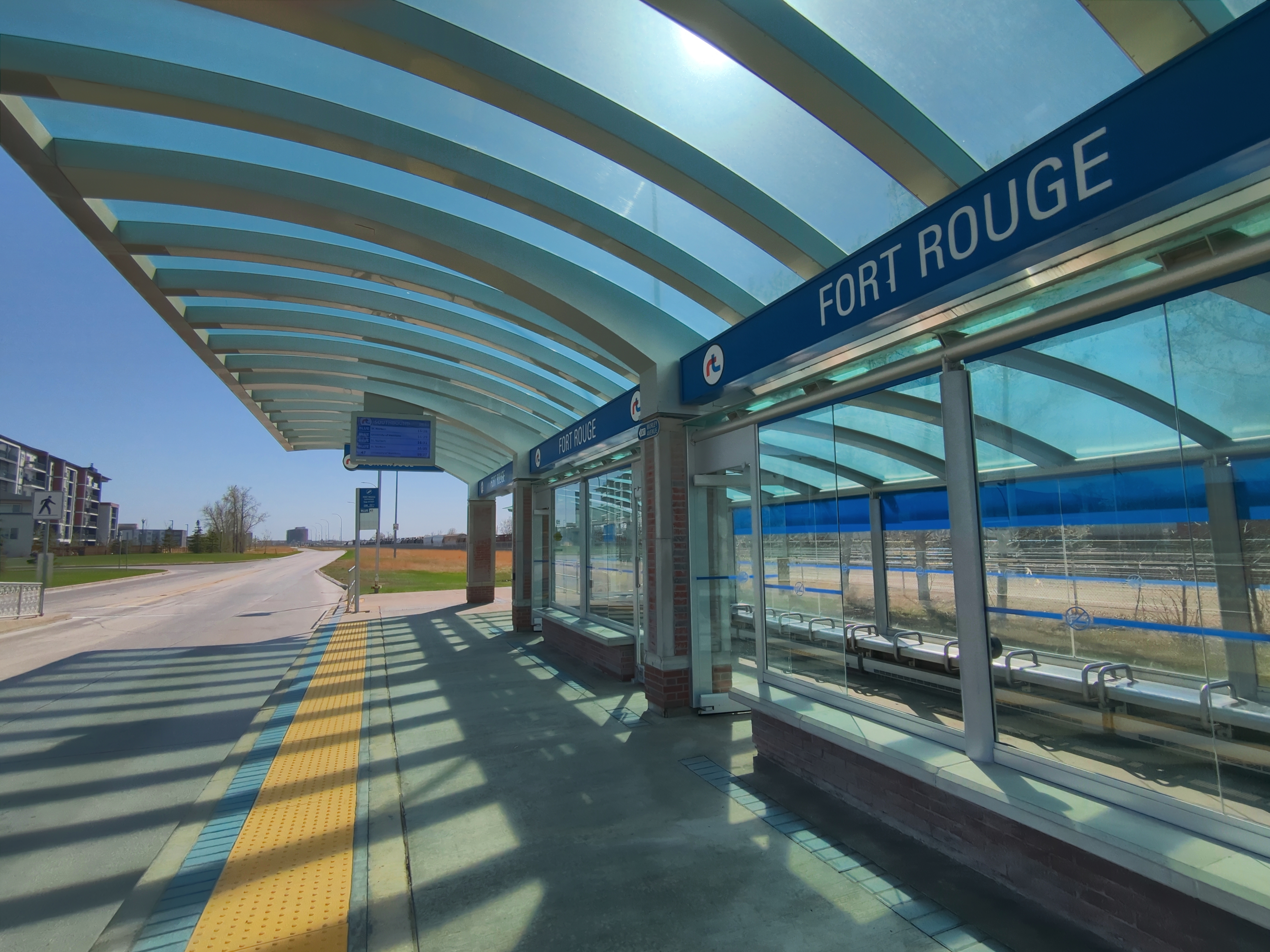
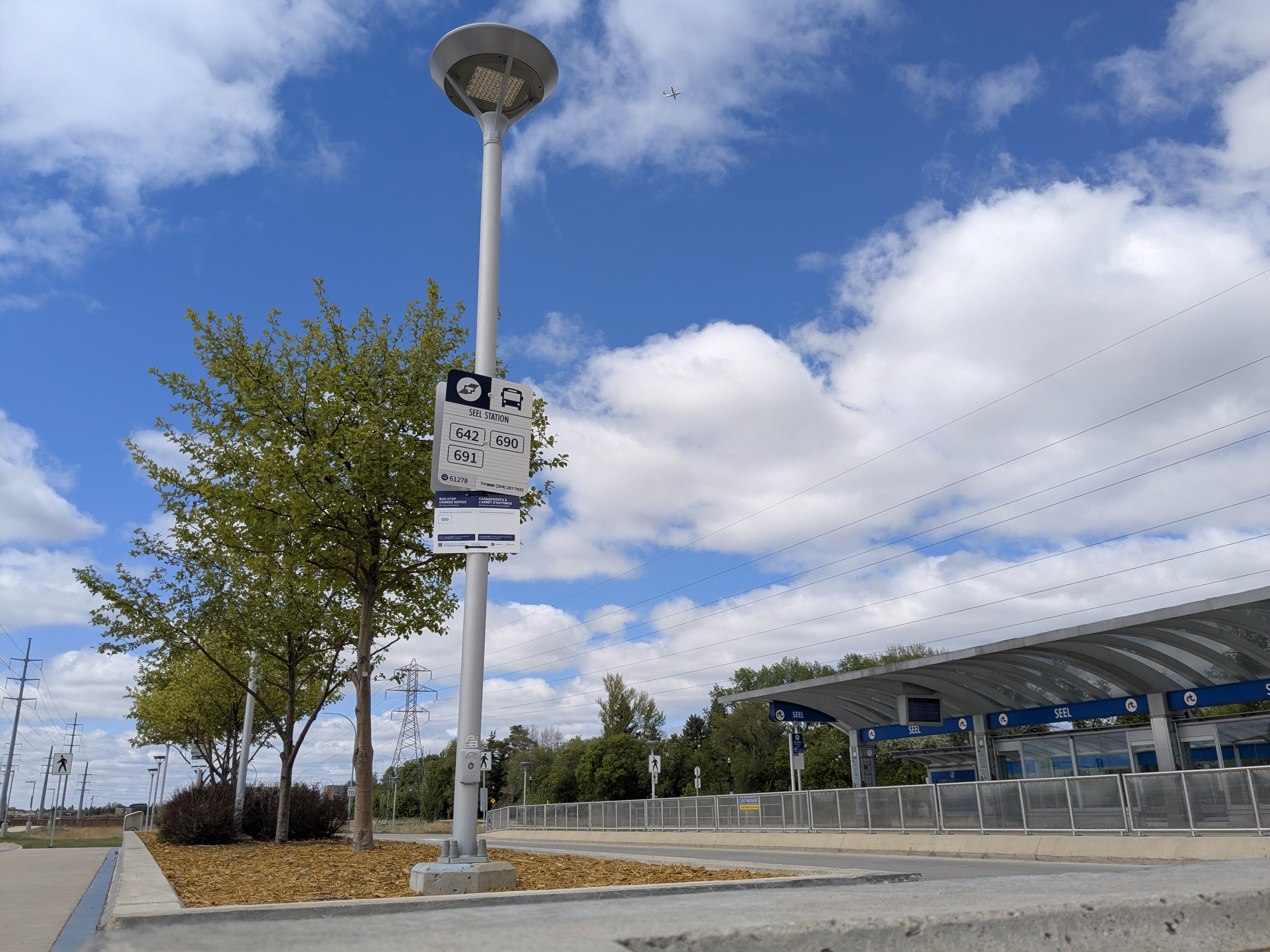
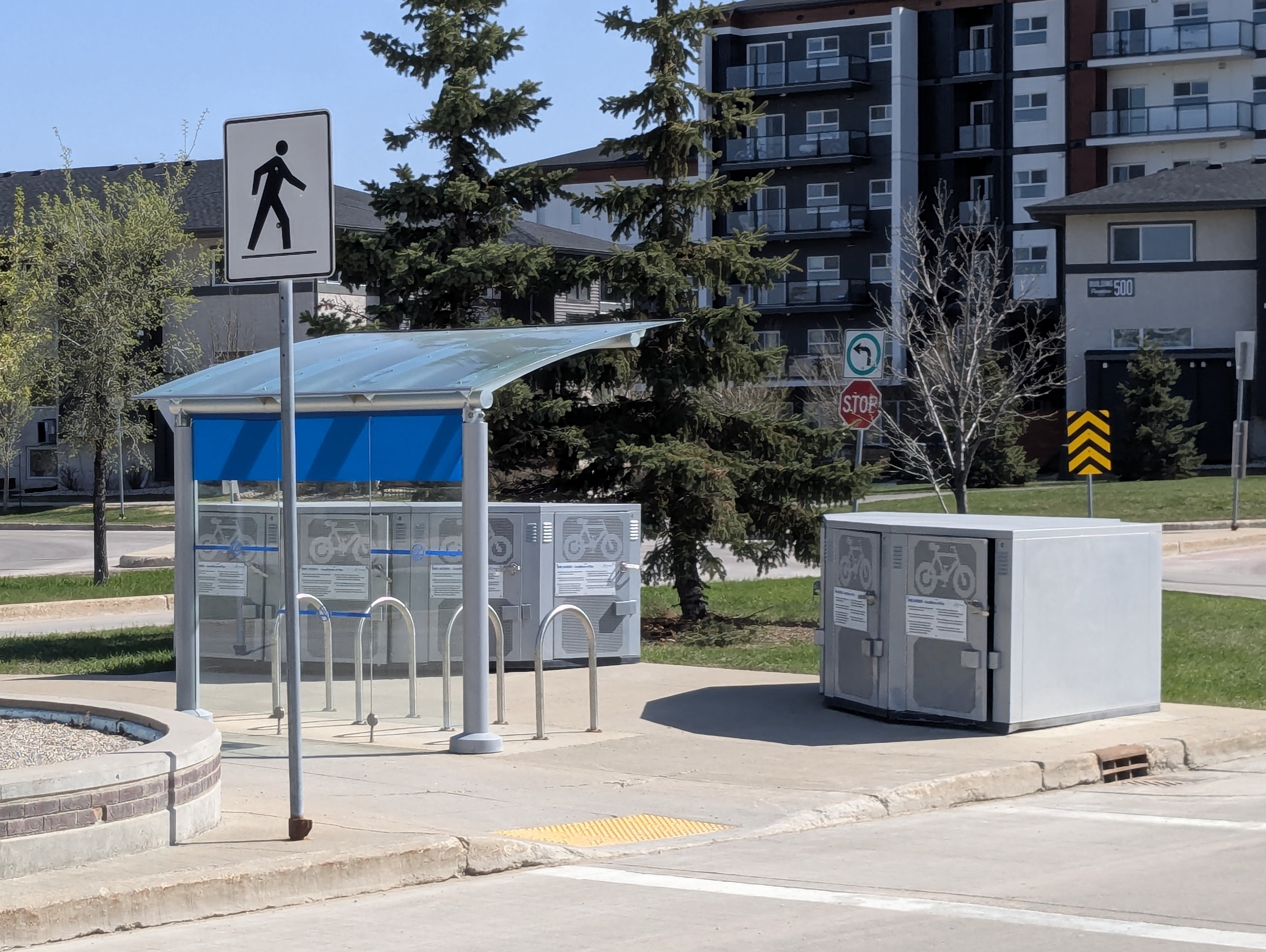
Some of these larger stations include “park-to-ride” parking lots, and bike storage. If you’re heading to downtown or other places with less parking, you can drive or bike quicker to a station, than taking only the bus. However, you gain the benefit of not having to worry about parking.
The buses are longer than normal, and are called a “bendy”. These buses will their names in amber (or sometimes white) text, such as “St. Norbert” and “University of Manitoba”.
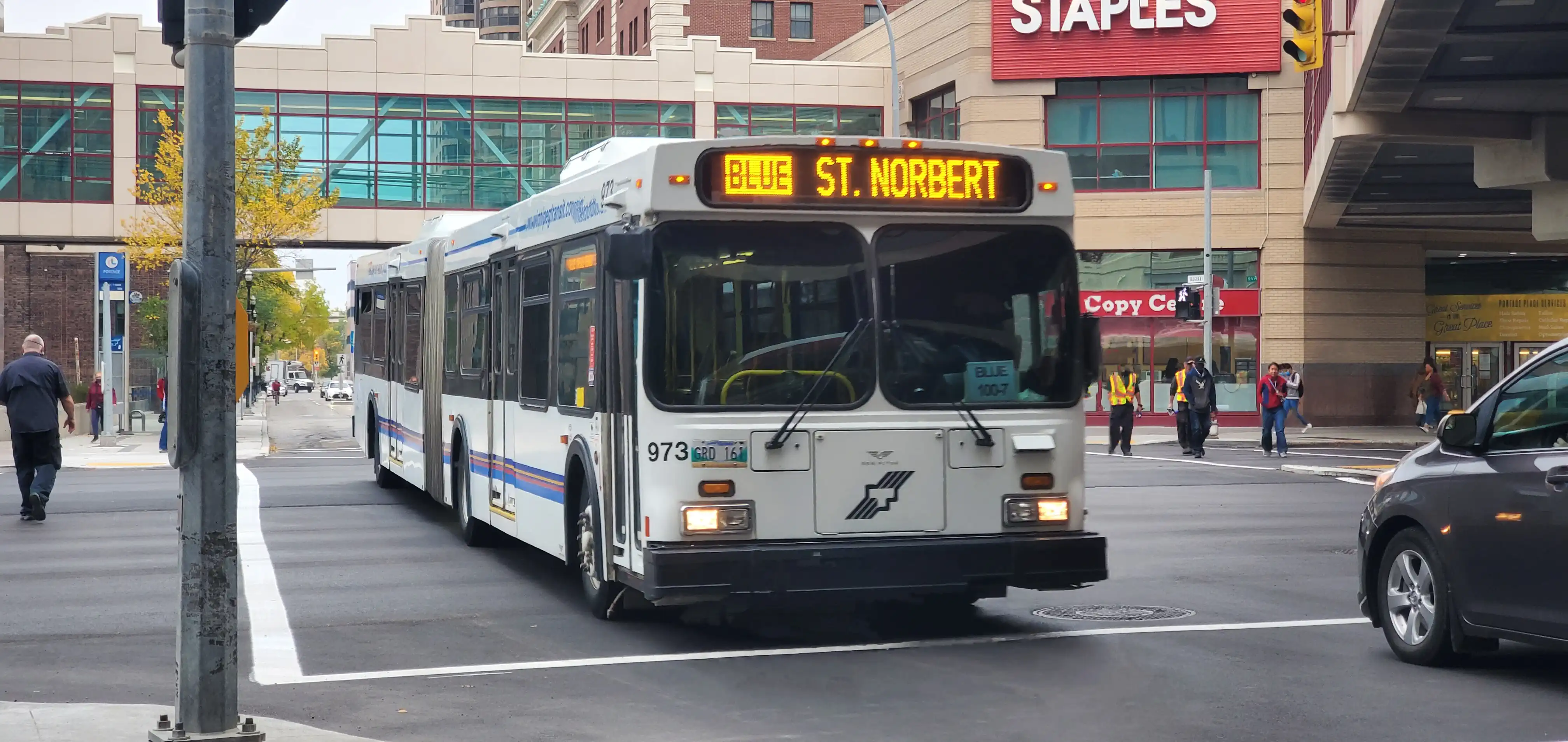
Picture by Justin Rombough on Flicker, licensed under CC BY-NC-SA 2.0.
Make sure your bus on your route matches the name you see on the road! Pick the wrong one, and you’ll go potentially into the complete wrong direction, or suddenly the wrong direction.
At rapid transit stations, there will be multiple signages saying either a stop is “northbound” or “southbound”.
Questions you may have
Section titled Questions%20you%20may%20haveThe bus isn’t here, what happened?
Section titled The%20bus%20isn%E2%80%99t%20here%2C%20what%20happened%3FSometimes, the bus was early and passed by you. There are also times where buses may get cancelled. This can be incredibly annoying.
Winnipeg Transit and Google Maps can tell you when the next bus will come. You can also call the TeleBUS number that’s put on every bus stop sign, to figure out when your bus will arrive too.

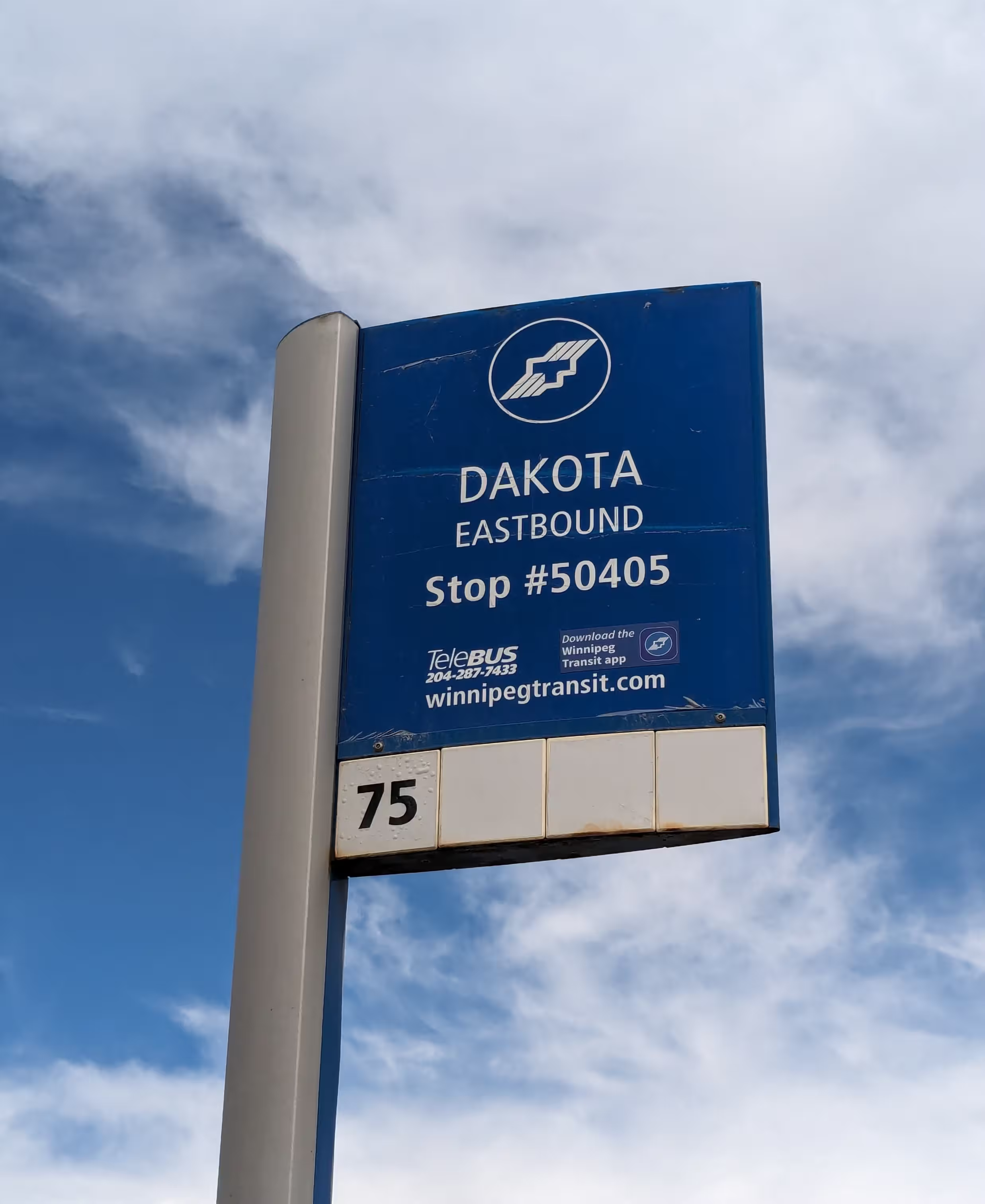
Bus stop sign variants. Each have the TeleBUS number.
Some major bus stops (such as stations and certain urban areas) will have screens or displays for your convenience.
If you get caught out on Sunday-hour days (eg. Sundays or holidays), and the bus isn’t coming, you can either try asking friends or family to drive you back home, or use a taxi service.
What happens if I get lost?
Section titled What%20happens%20if%20I%20get%20lost%3FIf you have mobile data, simply reroute from your location to where you want to go. If you don’t, see if there’s any public Wi-Fi nearby. If its within your means, having a data plan may save you a lot of stress.
If you have friends or family that can drive you, this may be safest and cheapest.
You may want to come up with an excuse to parents of how you might’ve gotten lost, if you’re transporting yourself to a place that you’d rather keep private.
You may also wish to ask strangers for help. Admittedly, it’s a bit scary, but more often than not, they will happily try and help you as best they can for directions. This very much includes bus drivers!
If crippling social anxiety will be a problem though, a strategy for if you get lost is to stay on said bus, until you wrap around to your previous location. Otherwise, getting off may be an option if you know you can walk to the next stop or your destination. For most routes, this should work, although I’ve had a bus only go one direction once due to scheduling.
Do paper tickets expire?
Section titled Do%20paper%20tickets%20expire%3FYes, paper tickets expire. Last year’s tickets will be usable until March 31st of this year.
For example, if the year is 2025, last year’s tickets would be from 2024. Those tickets would then be accepted until March 31st, 2025.
A note on taxis
Section titled A%20note%20on%20taxisSentiment on the r/Winnipeg subreddit for local taxi services such Unicity and especially Duffy’s leans towards them being shady and dangerous. Uber and Lyft are seen as safer.
- Beware of taking taxis or Uber, especially if you…
- Note that the full post title lumps AFAB (assigned female at birth) individuals under the same exploitation umbrella as women in general. This unfortunately does not discriminate transmasculine nor non-binary individuals, that present a certain way.
- Uber/Lyft VS Unicity/Duffy’s
- Not all taxi drivers
Taxi services can get fairly expensive compared to a bus ticket—expect to pay from a range of $20 to $50 at most.
More info
Section titled More%20infoFor more information on Winnipeg’s transit system, including accessibility, lost and found, and travel training, check out the official government website for Winnipeg Transit Info.
Further reading
Section titled Further%20readingHopefully this guide serves as a useful stepping stone into using our public transit!
Sadly, driving a car is generally a significantly superior option here, rather than relying solely on public transit. This especially sucks if you’re low income, where car ownership is cost-prohibitive. If and/or when you can, advocate for better public infrastructure!